Sign in and save to the cloud
Optional: sign in to carry your projects between devices and raise your sync limits.
-
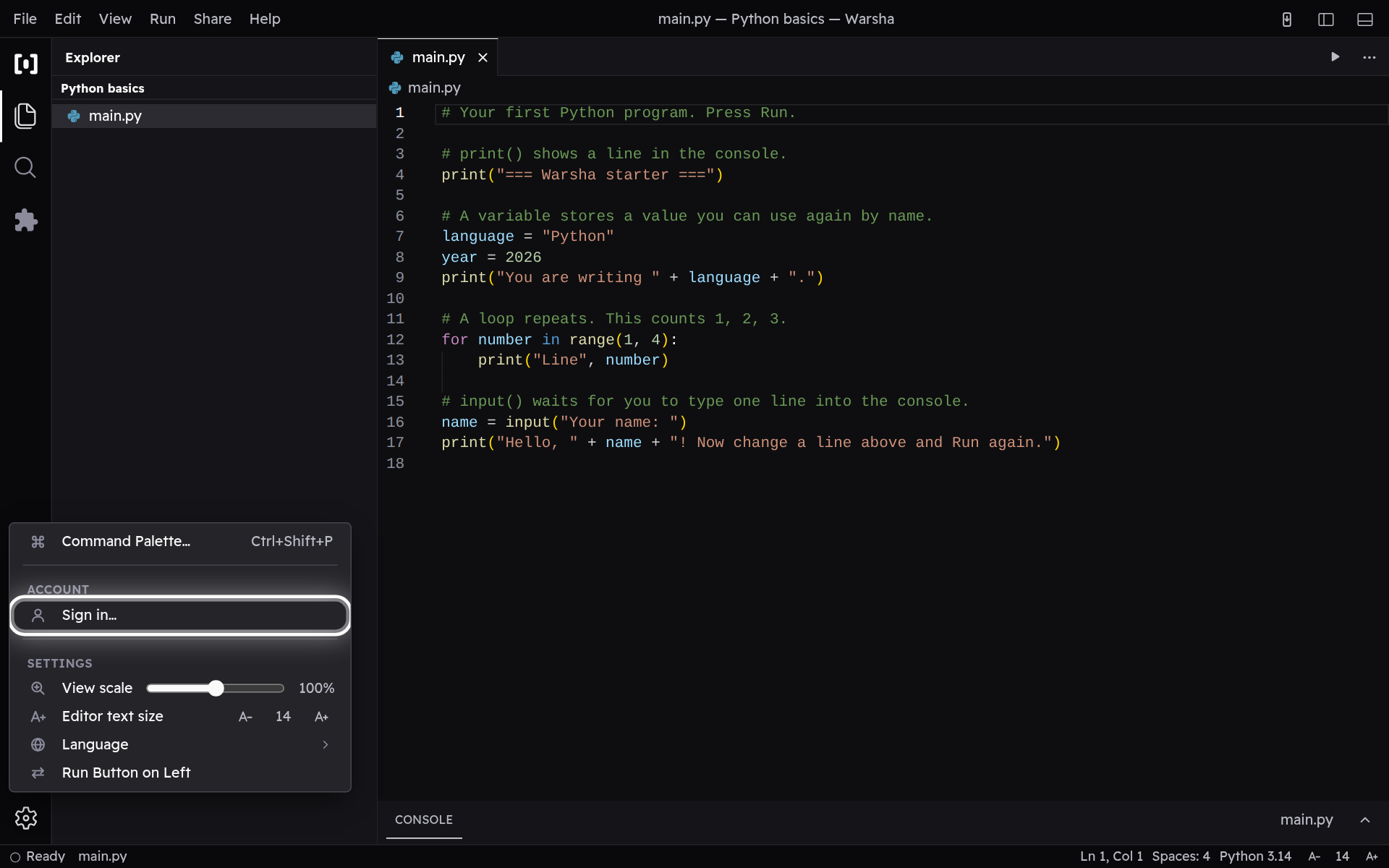
Find Sign in
Warsha needs no account to write and run code — your files live on this device. When you do want your work on more than one device, open the Manage menu and choose Sign in.
-
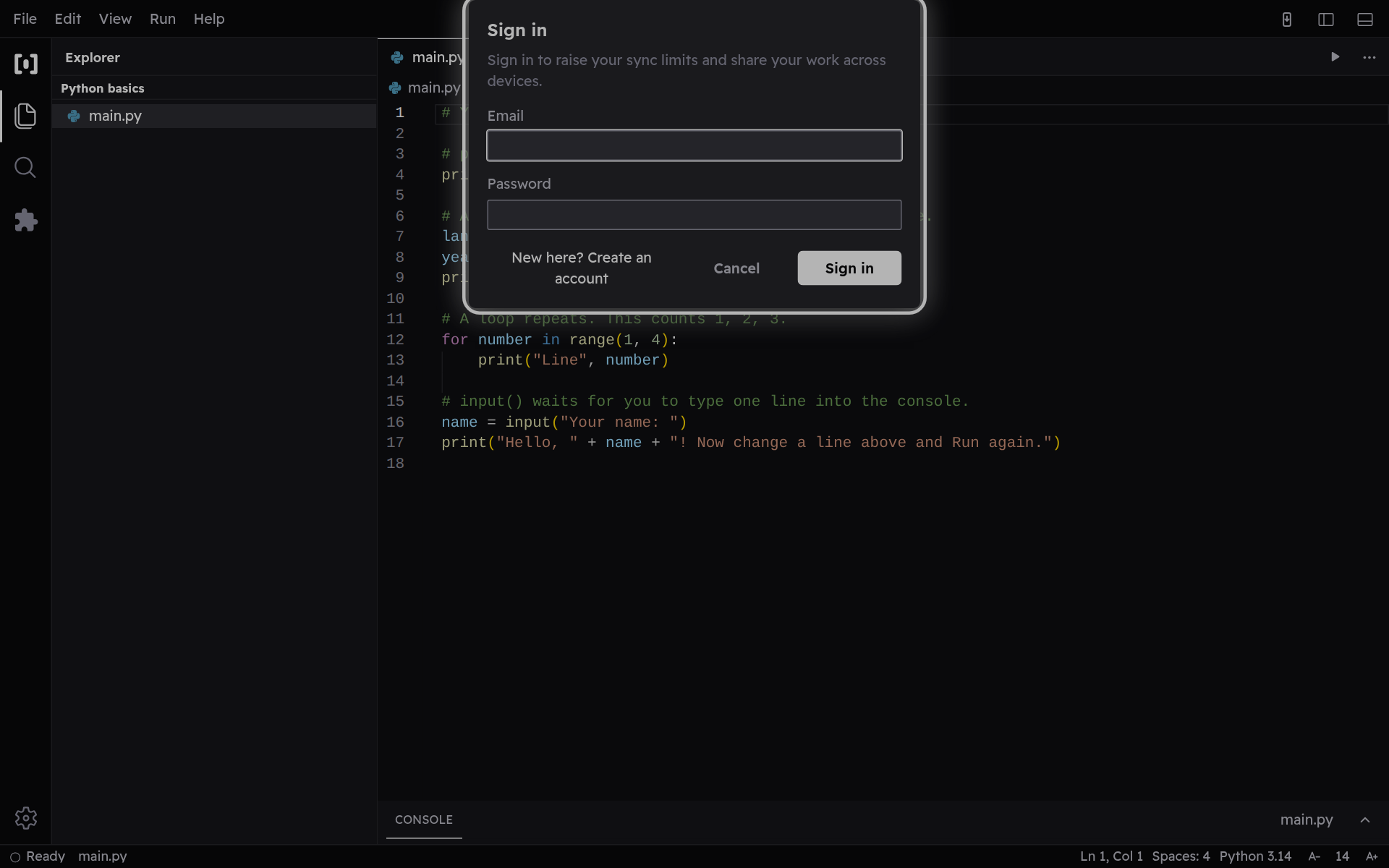
Sign in to sync
Enter your email and password (or create an account). Once you are signed in, your projects sync to the cloud, so you can pick any of them up again on another device — and your sync limits go up.