Create your first project
Start a project by choosing a language and a starter, then land in the editor ready to write.
-
Choose a language
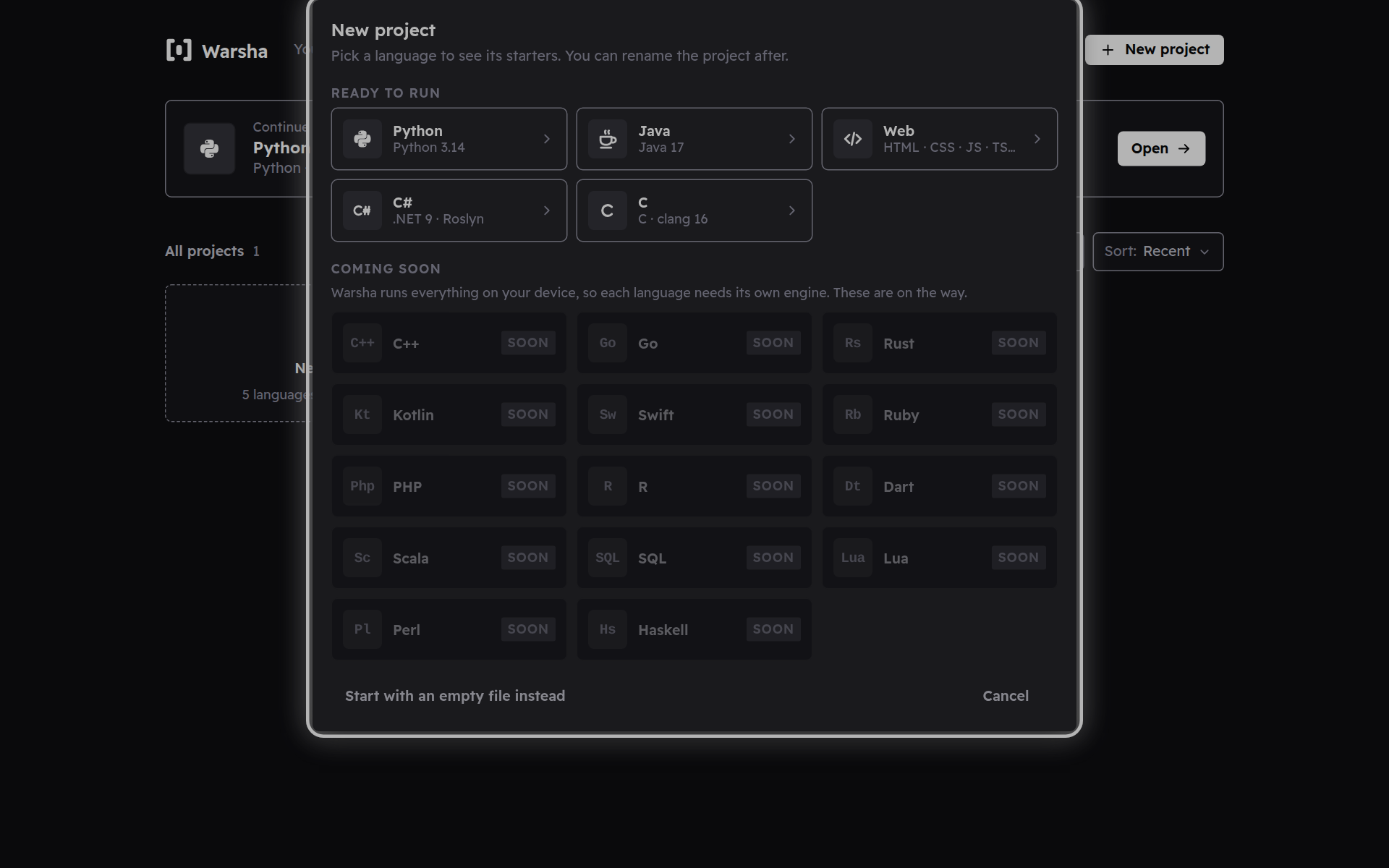
New project opens a picker with one tile per language. Ready languages like Python, Java and Web are bright and can be picked; the ones still on the way are dimmed until Warsha can run them.
-
Pick a starter
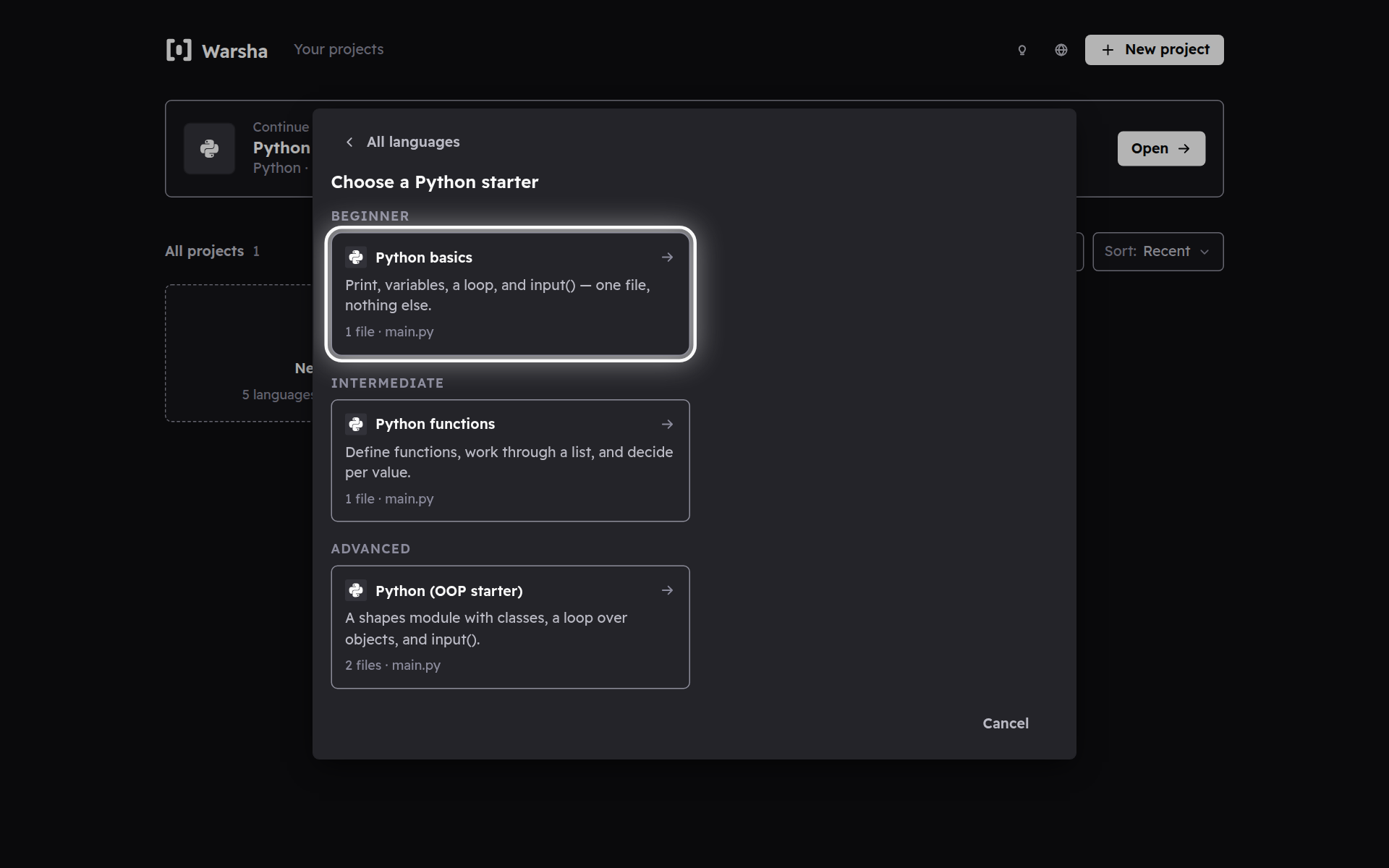
Once you choose a language, its starters appear grouped from beginner to advanced. Pick one and it fills the project with working code you can Run right away.
-
Straight into the editor
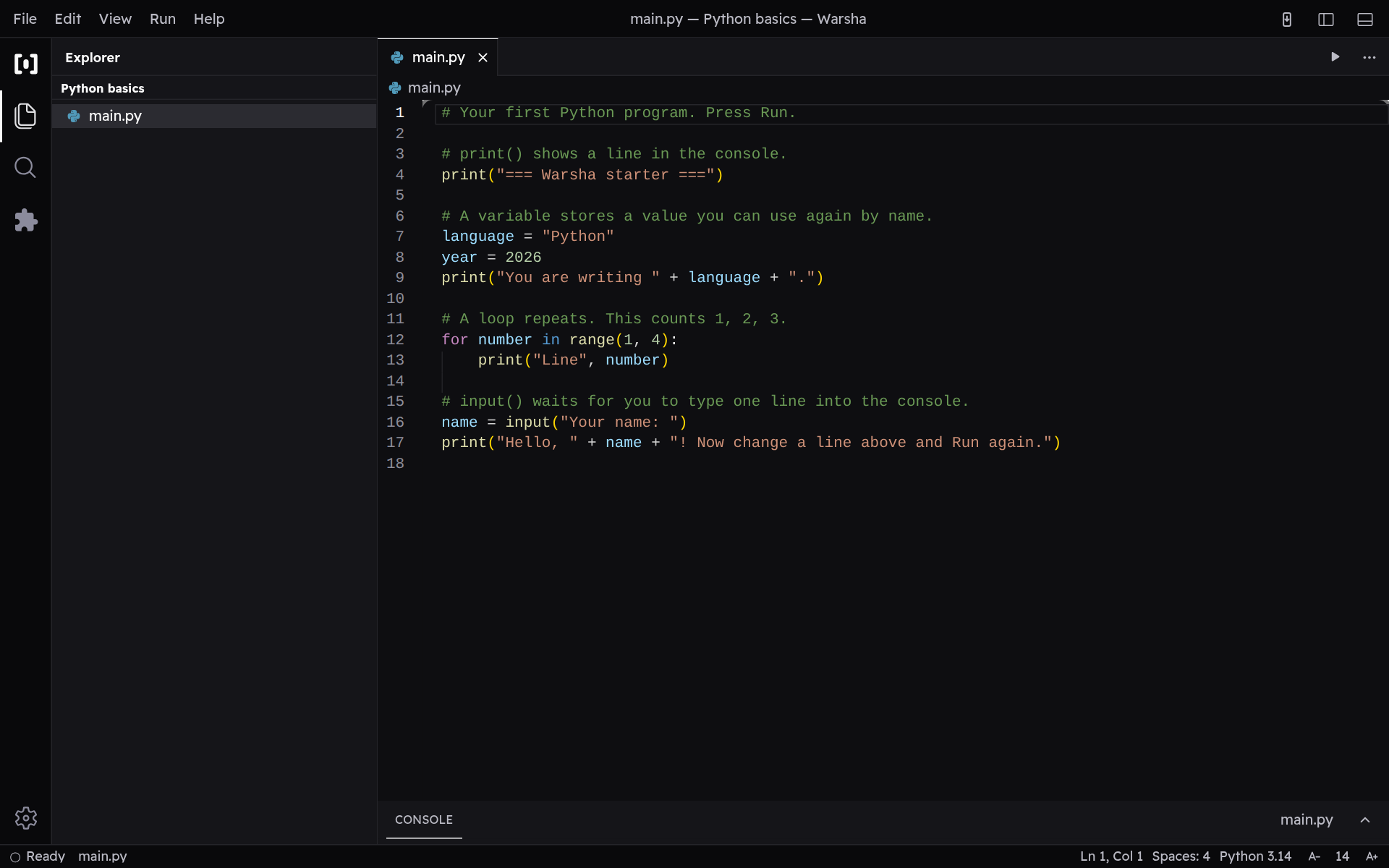
The new project opens right in the editor with its files ready. Change a line and press Run whenever you like.